Adding a User in FlightLine
Learn how to quickly add a user in FlightLine with this friendly, step‑by‑step tutorial. From permissions to email invites, we cover everything you need to know.


How to Add & Invite Users, Instructors, and Students in FlightLine
Managing user permissions, dispatch privileges, and maintenance roles in a busy flight school or flying club shouldn't require complex IT setups. With FlightLine's role-based access control (RBAC), organization administrators can onboard new team members in under 60 seconds.
Whether you're adding an FAA-certificated A&P mechanic, a Chief Flight Instructor (CFI), a dispatcher, or a newly enrolled private pilot student, here is the complete step-by-step workflow.
Step 1: Navigate to User Management
Sign in to your FlightLine dashboard.
From the main sidebar, select Settings and click Users (
/settings/users).You will see your organization's roster, displaying all active members, assigned roles, billing tiers, and aircraft checkout permissions.
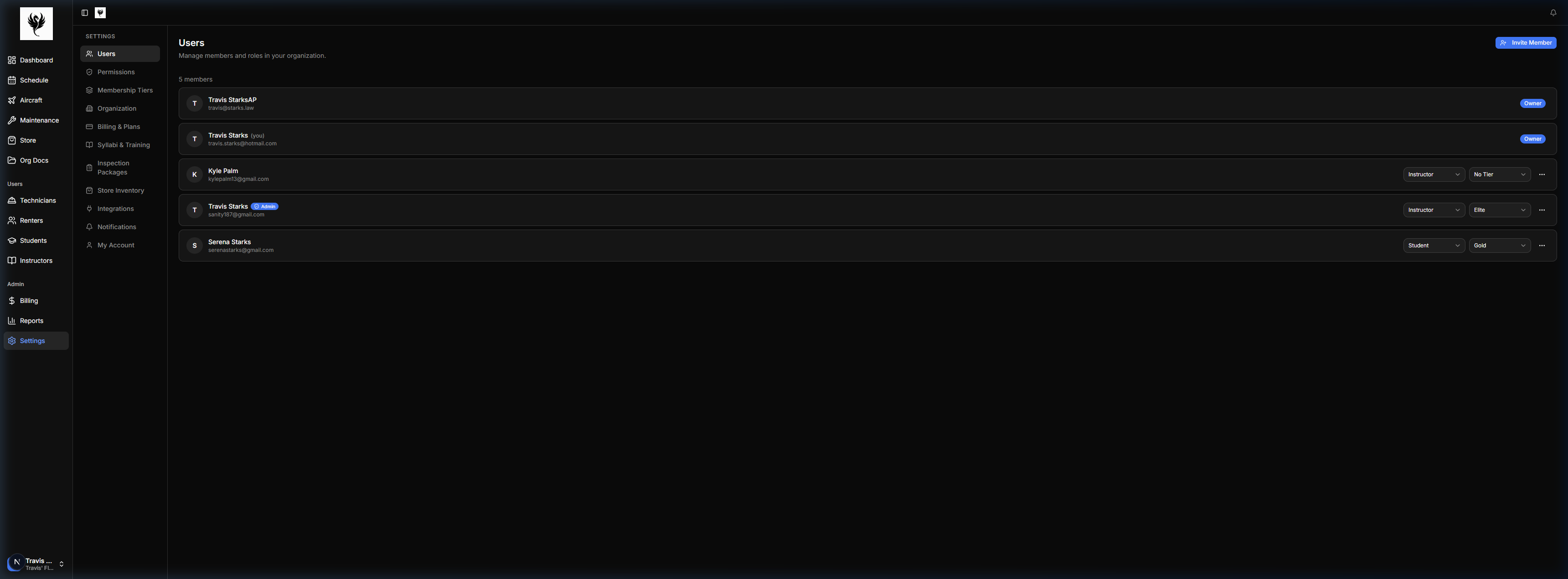
Step 2: Open the "Invite Member" Dialog
Click the "+ Invite Member" button in the top right corner of the user table.
An invitation modal will appear requesting the new member's details and role assignment.
Step 3: Enter User Details & Assign Operational Roles
Email Address: Enter the user's email (e.g.,
pilot.jane@flightline.com).Operational Role: Select the appropriate role from the dropdown:
Student: Can view syllabi, schedule allowed fleet aircraft, and review flight records.
Renter: Certified pilots authorized for rental flights with currency tracking.
Instructor (CFI/CFII): Access to student lesson logs, syllabus grading, stage endorsements, and dual booking.
Dispatcher: Full schedule dispatch, aircraft check-in/check-out, and ground completion.
Mechanic (A&P): Access to maintenance work orders, discrepancy squawks, and recurring inspections.
Inspector (IA): Full A&P rights plus Airworthiness Directive (AD) compliance sign-off authority.
Shop Hand: Support personnel for hangar and line operations.
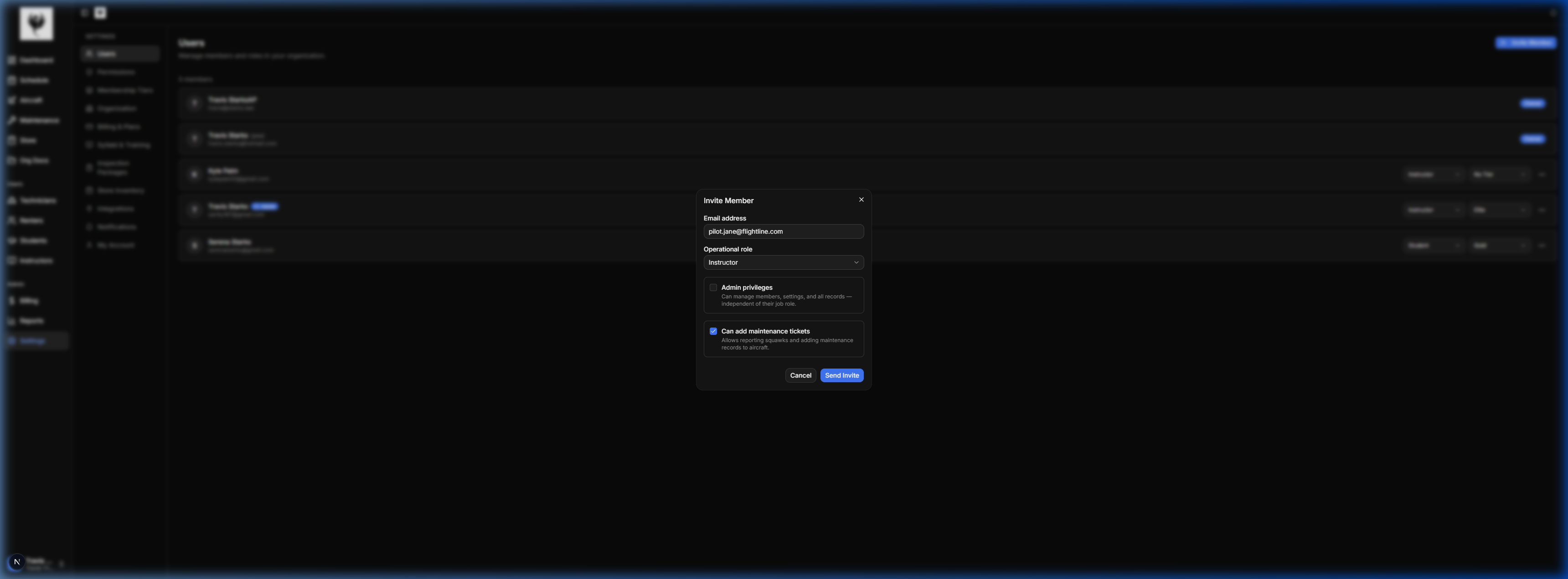
Step 4: Configure Special Privileges & Maintenance Rights
Can Add Maintenance Tickets: Check this box if the member should have permission to log squawks and maintenance entries. FlightLine automatically enables this for mechanics, IAs, and instructors.
Administrator: Check this box if the member should have full access to billing, organization settings, and permissions.
Step 5: Send Invitation & Monitor Onboarding
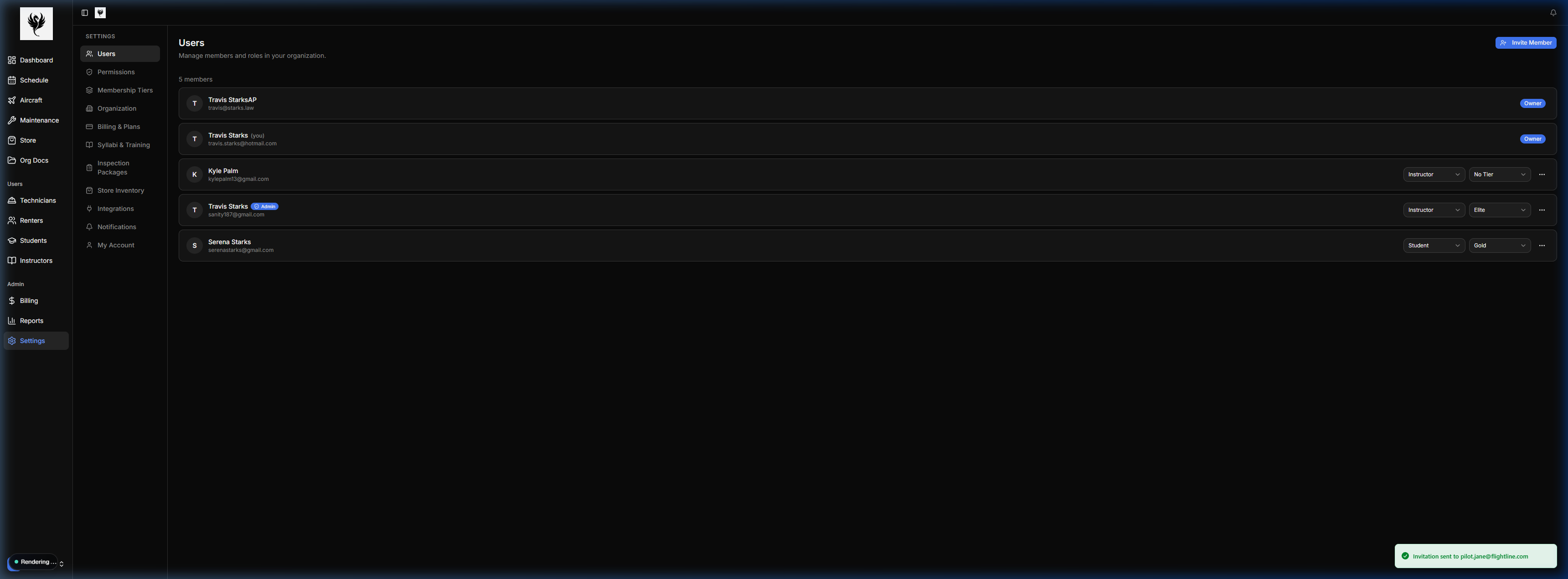
Click Send Invite. FlightLine automatically:
Sends a branded email invitation with a secure one-click sign-up link.
Adds the user to the Pending Invites queue where admins can resend or revoke invitations anytime.
Instantly syncs the member into the fleet scheduler once accepted.
About the Author
View all articlesTravis Starks
editorTravis Starks brings a powerful blend of military discipline, aviation expertise, and full-stack software development skills to FlightLine. He spent 10 years on active duty in the U.S. Air Force, specializing in helicopter and aircraft electrical systems within a Combat Search and Rescue (CSAR) squadron. Transitioning to general aviation as a licensed civilian private pilot and fleet operator, Travis paired his deep understanding of aircraft maintenance workflows with professional software engineering capabilities, mastering five programming languages. By building robust cloud architectures, complex data systems, and real-time backend microservices, he uniquely bridges the gap between pilot requirements and modern digital infrastructure. Travis' firsthand knowledge of the high-stakes aviation environment and technical development directly drives FlightLine's mission to deliver high-performance, intuitive scheduling and maintenance software.
More from Travis Starks
Modernize your fleet scheduling & maintenance
Join flight schools and aircraft operators who trust FlightLine for conflict-free dispatch, Part 61/141 syllabus tracking, and FAA AD airworthiness compliance.
Related Articles

Problems In Outdated Aircraft Scheduling Software
Outdated aircraft scheduling software drags down airlines with inaccurate rosters, costly delays, and safety gaps. Discover the hidden risks and how modern solutions can turn the tide.